Last Update: 15/09/2026
Catalog Sync
Synchronisation is what connects the products in your Shopify store to the 3D models in the ARShades Library. This page covers keeping that connection healthy; for the first setup, see Quick Start.
Managing Sync Status
The Assets page shows which of your products are live with the virtual try-on and which are not.
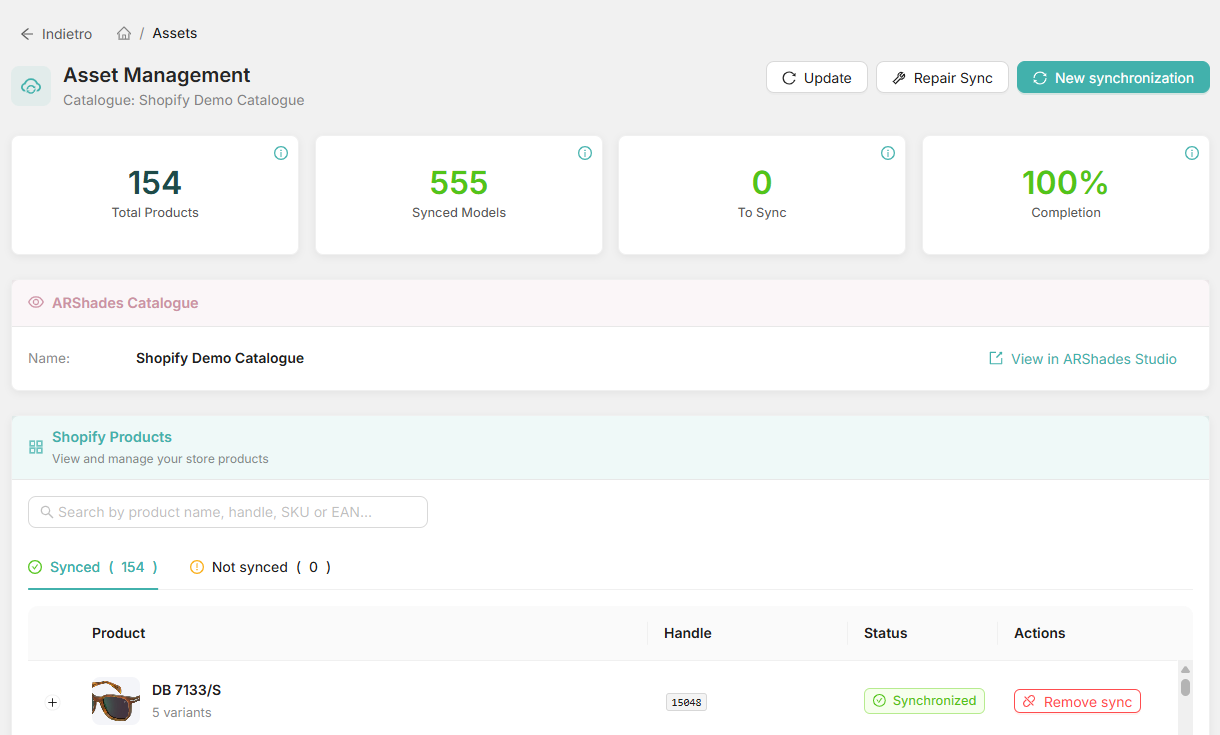
Keeping the Catalogue Up to Date
Run a New Sync when:
- You add products to your Shopify store.
- You change codes — the SKU, EAN or UPC of a product that is already there. The link is made on those codes, so changing one breaks it.
- New models arrive — you asked ARShades for a digitisation and were told it is ready.
Step by step: New Synchronisation.
When Something Does Not Work
The plugin talks to ARShades every time it checks your licence, and the answer it gets back is what you see on screen. Three of them are worth recognising.
The licence is not active
The licence has a status, a start date and an end date, and all three are checked:
| What comes back | What it means |
|---|---|
| License is not active | The subscription is not in an active state — the message names the state it is in. |
| License is not yet active (start date is in the future) | The subscription exists but its start date has not arrived. |
| License has expired | The end date has passed. |
None of these are fixed in the plugin: they are subscription matters. See Manage Subscriptions or ask ARShades support.
The domain does not match
Your licence carries a list of authorised domains, and the shop domain must be exactly one of them once normalised. If it is not, the plugin is refused access — the answer tells you how many domains are authorised, which is a quick way to tell "none configured" from "configured, but not this one".
This is what bites after a domain change: your .myshopify.com address and your own domain are two different entries. Have the one you are actually serving added to the licence. See VTO & 3D Viewer License.
The limit is reached
You cannot link more SKUs than your subscription allows. The limit is counted on variants in your linked catalogue, not on Shopify products: a frame in six colours is six SKUs against the limit, not one.
The plugin knows your limit, how many you have used and how many are left. Some subscriptions have no limit at all.
What Synchronising Actually Does
Linking a product writes it into your ARShades catalogue, as a product with its variants. Unlinking removes those entries again. Your Shopify products are never modified: the plugin reads them and keeps its own inventory beside them, which is why a repair can rebuild the connection without touching your store. See Repair Sync.